See Spanvo in action
The full loop, finished job to collected payment, in five screens. These are sample screens from a sample shop, not a real client’s data. A live demo you can click through yourself is coming; for now, the fastest way to see your own shop’s flow is a 15-minute walkthrough.
1. Your morning rundown
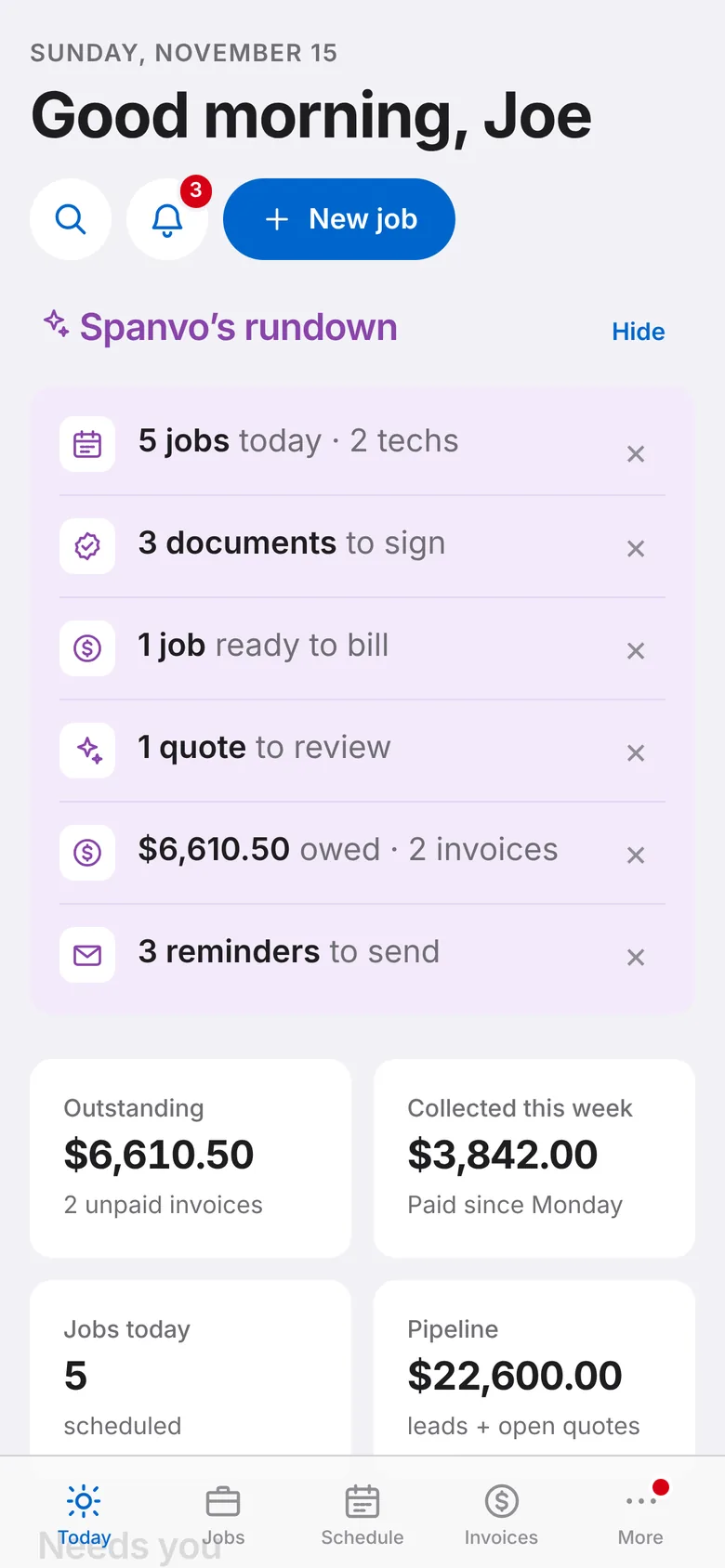
Every morning Spanvo tells you what needs you: jobs today, documents to sign, jobs ready to bill, quotes to review, money owed and reminders to send.
2. A quote, drafted from your notes
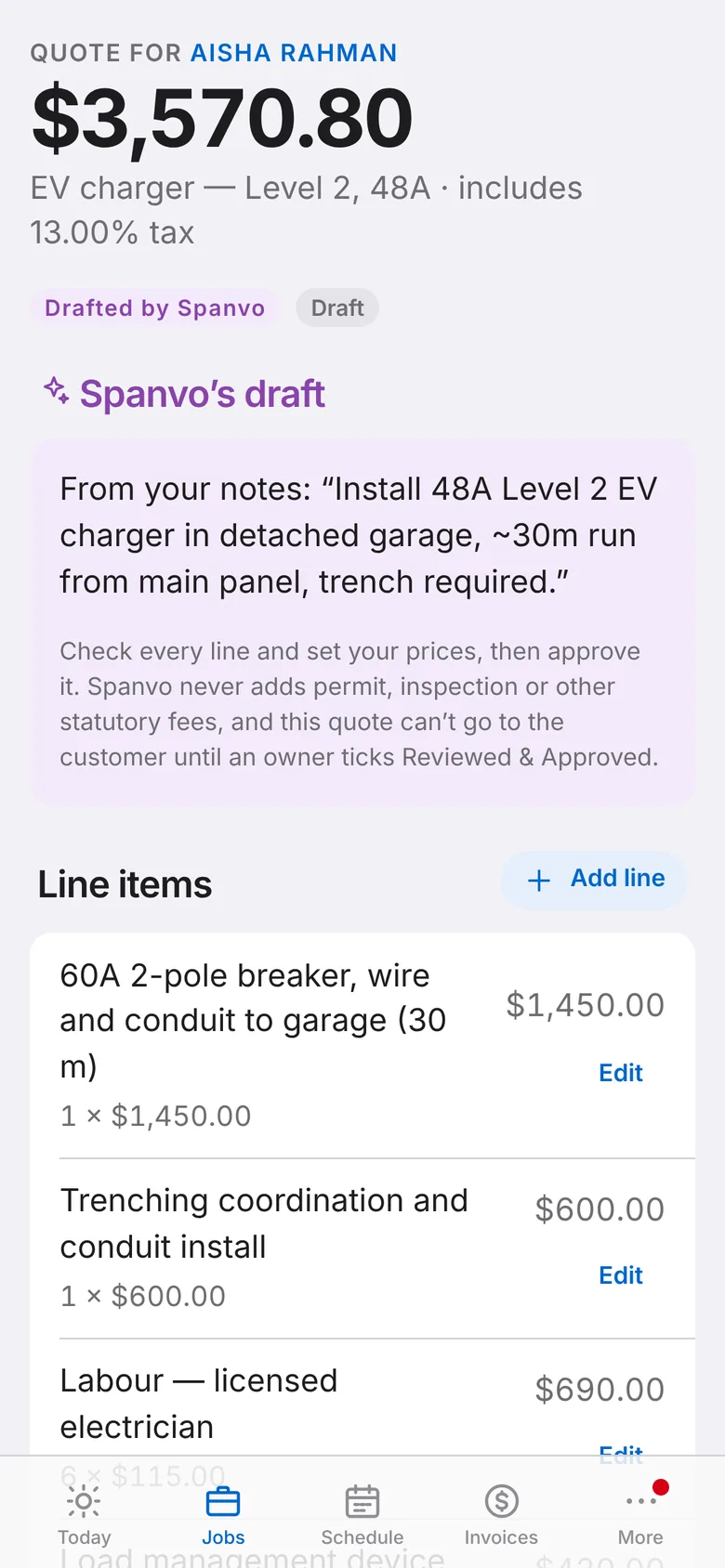
Describe the job in a sentence. Spanvo drafts the lines; you set the prices and approve. Your customer picks their options and approves from their phone.
3. The tech's day, one stop at a time
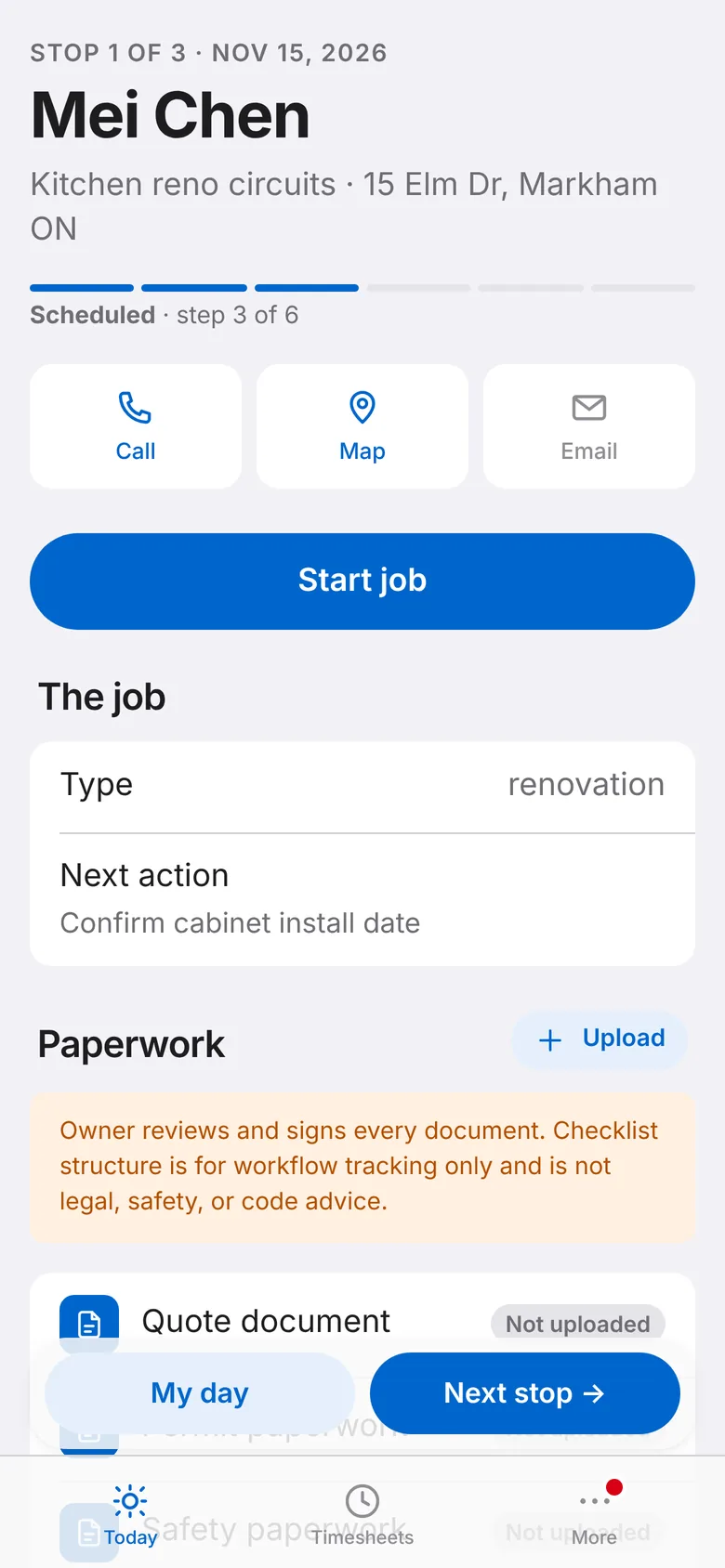
Drag a job to a tech. It lands on their phone with call, map, paperwork and photos, one stop per screen. No GPS tracking.
4. Nothing leaves without your OK
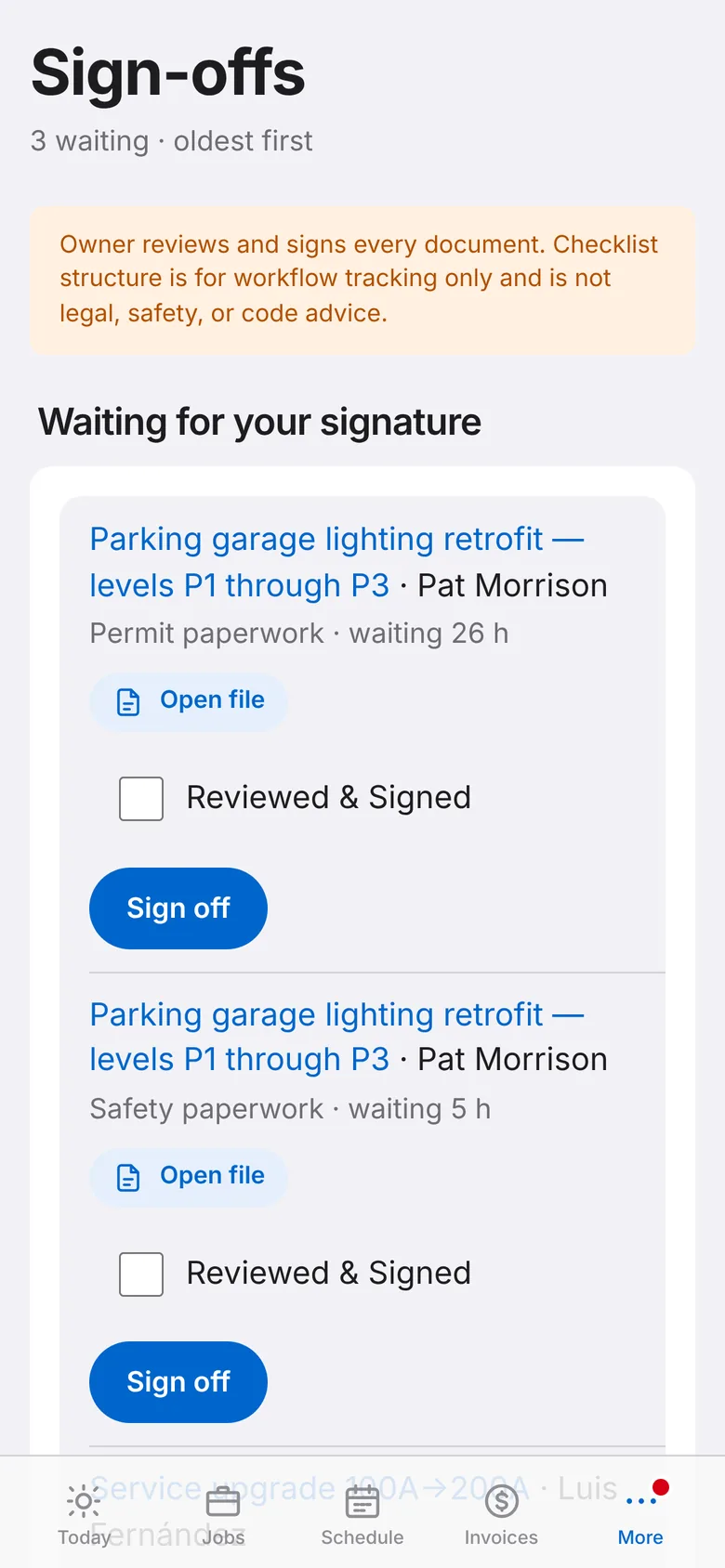
Permits, safety forms and job paperwork wait in your sign-off queue. Payment reminders are written for you and go out only when you tap Send.
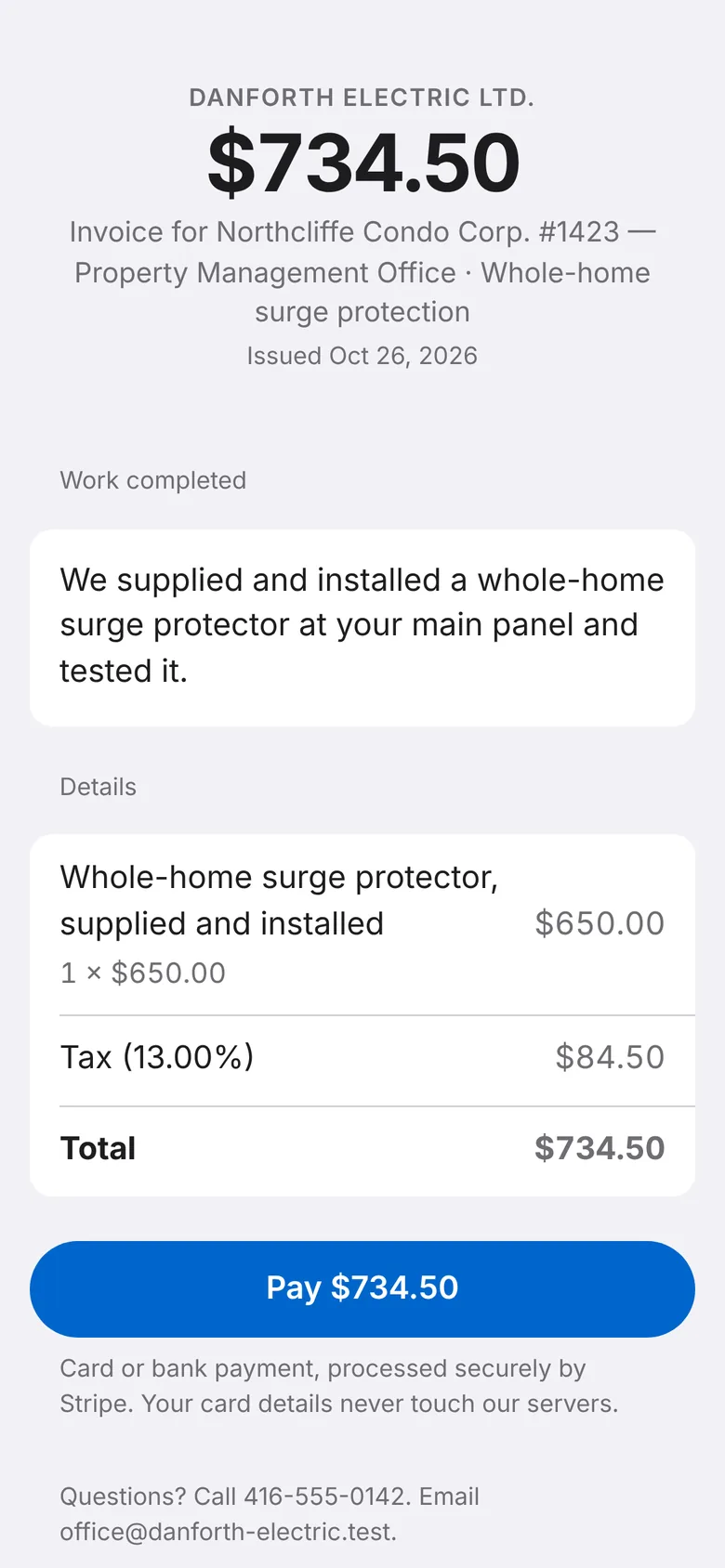
5. Paid, without the chase
Send a pay link. Card or bank through Stripe. The job flips to Paid the moment the money lands.
Try it for yourself
Start your shop, free for 30 days, or email hello@spanvo.com to book a walkthrough. Prices are on the pricing page, and common questions are on the FAQ page.